Author: Living in Korea Guide

  • Edit Your Korea e-Arrival Card: Fix Mistakes Before Immigration

    Edit Your Korea e-Arrival Card: Fix Mistakes Before Immigration

    If your Korea e-Arrival Card contains the wrong hotel, flight, departure date, purpose, or occupation, retrieve it on the official website and edit it before immigration inspection.

    Use the issuance number sent by email or email verification, correct the record, review every field, and submit the updated version. Do not pay a third-party website: the official service is free.

    Checked on August 25, 2026: the official Check/Edit route is live, and Korea Immigration’s March 9, 2026 notice still warns about fake paid sites.

    First decide: edit the record or submit a new one?

    Edit an active card when travel or stay details changed. Submit a new card if the old one expired, you already completed immigration, or you are entering Korea again.

    The card is valid for 72 hours from submission and expires after immigration. The arrival date can only be changed within three days of the original declaration; otherwise, submit a new card.

    What changed?ActionExpected result
    Hotel, Korean address, contact, purpose, occupation, departure dateRetrieve and editUpdated active declaration
    Arrival date still within the permitted three-day windowEdit and resubmitCorrected arrival plan
    Card expired or arrival moved outside that windowMake a new declarationNew 72-hour validity period
    You already passed immigration or are re-entering KoreaMake a new declarationOne declaration for the new entry

    Save the newest confirmation, not every old copy.

    If you resubmit with the same personal information before expiration, only the newest card remains accessible. Save that version.

    How to correct the card step by step

    Open only e-arrivalcard.go.kr, choose Check/Edit, verify with the issuance number or email, correct the changed fields, and submit after a line-by-line review.

    1. Confirm the domain: type e-arrivalcard.go.kr directly. A payment screen is a warning sign, not part of the official process.
    2. Open Check/Edit: retrieve the declaration with the issuance number from the confirmation email or complete email verification.
    3. Compare documents: check the passport, itinerary, hotel, Korean contact, purpose, occupation, and departure plan.
    4. Edit accurately: replace old travel or stay details with the current booking.
    5. Review and submit: check spelling, dates, flight, and address; then save the newest confirmation.

    If a hotel address is hard to copy, use Naver Map in English and compare the Korean road-name address with the booking. If it still does not match, ask the hotel instead of inventing an address.

    Stop if a site asks for card payment.

    Korea’s Ministry of Justice confirmed on March 9, 2026 that the only official e-Arrival Card site is e-arrivalcard.go.kr and that a site requesting payment information is not official. Close it and return by typing the government address yourself.

    Verify the fix and confirm the result

    Retrieve the record again and verify the changed field, issuance number, and expiration time. A saved PDF is useful for checking, but it is not required at the immigration counter.

    Retrieve the card again on the official site. If the corrected active record appears, the fix is confirmed; if it cannot be retrieved, do not assume it was saved.

    • Hotel or Korean address matches the current confirmation.
    • Arrival date and flight information match the latest itinerary.
    • Purpose, occupation, contact, and departure plan are accurate.
    • The displayed expiration covers your arrival before immigration.
    • The newest PDF or email reflects the corrected details.

    Final pre-arrival check

    • Official go.kr domain
    • No payment request
    • Latest itinerary and hotel
    • Active expiration time
    • Newest confirmation saved

    Exact next steps if the issue remains

    Try email verification, check whether the card expired, and submit a new declaration when the official validity rules require it. For an unresolved system or eligibility issue, contact Korea Immigration rather than guessing.

    If the issue remains, email earrivalcard@korea.kr in Korean or English. Call 1345 in Korea, or +82-2-1345 / +82-2-6908-1345~6 from overseas. If arrival is imminent, explain the issue to immigration staff before inspection.

    Do not use this form to decide visa or K-ETA eligibility.

    The e-Arrival Card is an entry declaration, not a visa or K-ETA approval. Check your own entry conditions through Korea Immigration, the Korea Visa Portal, K-ETA, or a Korean embassy before travel.

    FAQ: Frequently asked questions

    Most mistakes can be corrected before immigration, but expiration, a completed entry, or a new trip requires a fresh declaration.

    1. Can I change my hotel after submitting?

    Yes. Retrieve the card before inspection and replace the old stay information.

    2. Can I change my purpose or occupation?

    Yes, before inspection. Use Check/Edit and enter accurate current information.

    3. What if my flight date changed?

    Edit within the official window; otherwise, submit a new declaration.

    4. I lost the issuance number. Can I retrieve it?

    Yes. Use email verification with the address connected to the declaration.

    5. Must I print the corrected card?

    No. A saved copy helps verification, but it is not required at inspection.

    6. Is there a correction fee?

    No. The official service is free; a payment request is a fake-site warning.

    Official resources

    Official e-Arrival Card guide

  • Priority Seats on Korean Subways: Signs, Etiquette, and What to Check

    Priority Seats on Korean Subways: Signs, Etiquette, and What to Check

    On a Korean subway, check the signs above and beside a seat before sitting down. Priority seating is intended for passengers who need it, and a need for a seat may not be visible.

    Read the pictograms

    Look for symbols identifying older passengers, pregnant passengers, people with disabilities, or passengers with infants. Seoul has used pink markings to make pregnancy priority seating easier to identify. Colors and layouts can differ between trains, so follow the actual sign rather than a color rule you remember from another city.

    Keep pregnancy priority seats available

    Early pregnancy may not be obvious. Do not ask a passenger to prove that they need a designated seat. When you can stand comfortably, choose an ordinary seat or standing area and keep the priority area easy to reach.

    If you need a seat yourself

    You can make a brief, polite request without explaining private medical details to everyone nearby. If communication is difficult or a disagreement develops, ask station staff for assistance. Avoid filming or arguing with other passengers.

    Make room around the seating area

    Move your bag off the seat, keep the aisle clear, and allow passengers time to sit down or get up. Hold a rail when standing and avoid blocking the doors while checking a route on your phone.

    Before boarding, the useful checklist is simple: find the correct platform, identify the priority-seat signs, and leave a clear route for passengers who need assistance.

    Official resources

    Seoul: Pregnancy priority seating

  • Coin Laundromats in Korea: A Simple Wash-and-Dry Guide

    Coin Laundromats in Korea: A Simple Wash-and-Dry Guide

    At a Korean self-service laundromat, read the machine and payment instructions before loading your clothes. Confirm whether detergent is included, choose a cycle that suits the care labels, and check the dryer instructions separately.

    Find the right branch and machine

    Search for 코인세탁소 or 셀프빨래방 in your map app. Check the branch address, opening hours, and contact number rather than assuming every store is open all night. Match the load to the capacity printed on the machine; leave enough room for the items to move.

    Check detergent and payment first

    Some machines dispense detergent automatically; others require you to add it. Follow the label on that machine. Adding extra detergent to an automatic-dosing machine can create too much foam.

    Read the displayed total and available payment methods before starting. A store may use coins, a payment terminal, an app, or a store card. Confirm foreign-card acceptance at that branch instead of relying on another store’s setup.

    Choose the wash and dry settings

    Use the garment’s care label to decide whether an item is machine washable and whether it can be tumble dried. Do not put an item into a hot dryer simply because other customers do. For a duvet or a large item, check both the machine’s capacity and the item’s own washing instructions.

    Before you leave

    Take your payment receipt or a photo of the machine number, set a timer, and return promptly. Check the drum and door seal for small items. If payment goes through but the machine does not start, record the machine number and contact the branch before paying again.

  • Naver Map in English: Android and iPhone Language Settings

    Naver Map in English: Android and iPhone Language Settings

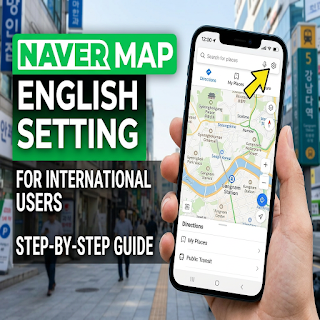
    In the current Naver Map app, open the MY tab, tap the settings gear, and choose Language. On iPhone, the app may send you to the device’s language settings for Naver Map.

    Change the language on Android

    Open Naver Map, select MY at the bottom, and tap the gear at the upper right. Open Language and select English. Return to the map and check a menu or route screen to confirm the interface changed.

    Change the language on iPhone

    Use MY → gear → Language, or open your iPhone’s Settings → Naver Map → Preferred Language. If the preferred-language option is missing, Naver’s help page says to add a supported language under the device’s General → Language & Region settings, then check Naver Map again.

    Find the correct place

    Match the map pin with the full address and exact branch name. Keep the Korean place name beside its English name so you can compare a sign, a booking confirmation, and the app result. A familiar brand name alone is not enough when several branches are nearby.

    Check the route before setting off

    Confirm the travel mode, departure time, station exit, and direction of travel. A route from your hotel may differ from one starting at a nearby station. Save the destination address in a form you can show to staff if mobile data stops working.

    The interface language does not guarantee that every business description or feature is available in English. This guide focuses on the language setting and checking the destination, rather than promising complete translation or a particular arrival-time accuracy.

    Official resources

    Naver Map: Official language-setting instructions

  • Coupang Returns in Korea: Pickup Requests and Refund Tracking

    Coupang Returns in Korea: Pickup Requests and Refund Tracking

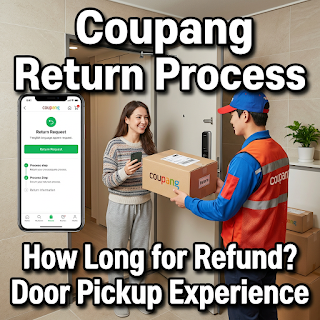
    Start a Coupang return from the order that contains the item. The available return options, any charge, pickup instructions, and refund status depend on that order. A single refund timeline does not apply to every product and payment method.

    Open the exact order

    In My Coupang, open the order list and select the item you want to return. Check the product, seller, delivery status, and available return or customer-service option. Interface labels can change, so use the option displayed on your own order screen.

    Review the return conditions

    Choose the accurate return reason and read the condition, packaging, deadline, and fee information shown before confirming. Do not select an incorrect reason to avoid a charge. If the order does not show a usable return option, ask Coupang customer service about that specific order.

    Follow the pickup instructions

    Keep all included parts and package the item as instructed. Confirm the collection address and where the parcel should be left. Remove old shipping labels when appropriate, keep a photo of the packed item, and retain the request or collection confirmation.

    Track the refund in two places

    First check whether Coupang shows the return as received and the refund as processed. Then check the original payment account. A payment provider may need additional time after the merchant processes a refund; the timing depends on the method and provider.

    If the stated processing period has passed, contact Coupang with the order number and return record. If Coupang confirms the refund but it does not appear in your account, ask the payment provider to trace it using the reference Coupang supplies.

    Keep these records until the case is complete: the order, the return request, pickup evidence, the merchant’s refund confirmation, and the payment-account entry. No fixed number of days is guaranteed by this guide.

    Official resources

    Coupang official return-policy page

  • How to Recharge T-money in Korea: Cash, Cards, and Common Confusion

    How to Recharge T-money in Korea: Cash, Cards, and Common Confusion

    For a standard physical T-money card, plan to top up with Korean won cash at a participating convenience store or a subway charging machine. Buying a card, topping up its transit balance, and paying for a different transport product are separate transactions.

    Check what kind of card you have

    Read the card and product name first. A plastic T-money card, a mobile transit card, a Climate Card, and a card combining shopping and transport functions do not necessarily share the same top-up rules. A machine accepting a foreign card for one product does not prove that it can recharge every transit card.

    Use a store counter

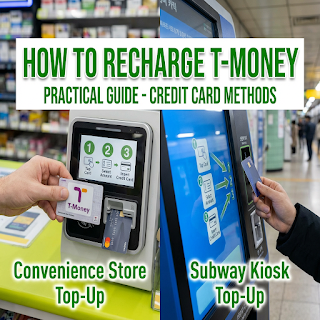
    Ask whether that counter can recharge your T-money card. State the amount you want to add, present the card and the accepted payment, and wait for the transaction to finish before removing the card. Check the new balance on the reader or receipt.

    Use a subway charging machine

    Select the appropriate language, follow the on-screen card placement instructions, choose an amount, and insert the accepted cash. Keep the card in place until the machine says the top-up is complete. Read the supported notes, coins, and change instructions on that machine.

    If a top-up does not work

    Record the machine location, time, amount, and message. If money was accepted but the balance did not change, ask station staff or the retailer to check the transaction before paying again. A successful top-up and a successful gate tap are different checks.

    Before a trip, carry a suitable backup payment method and enough won cash for the physical card. For a mobile or combined card, use that provider’s current instructions instead of applying the plastic-card rules automatically.

    Official resources

    Korea Tourism Organization: Transport payment guide

  • Korean Hair Salons: Explain Your Haircut and Confirm the Price

    Korean Hair Salons: Explain Your Haircut and Confirm the Price

    Before a haircut in Korea, agree on the result, the services included, and the total price. Reference photos are useful, but a clear conversation about length and styling matters more than expecting a photo to produce an identical result.

    Prepare a small set of reference photos

    Bring front, side, and back views of the style you want. Point out what you like in each image: the fringe, outline, layers, or finish. Also show a photo of what you do not want if that makes the distinction easier to explain.

    Make the length specific

    Use your fingers or a visible point on your hair to show how much should be removed. Confirm the length before the first cut, particularly for a fringe. Explain how you usually wear your hair and how much styling time you want to spend at home.

    Confirm the service and price

    Ask whether the quoted price includes washing, drying, styling, and any extra service you discussed. For a perm, color, bleach, or treatment, request an explanation of the process and the full quote before agreeing. Prices and booking rules vary by salon and stylist.

    Use a short written note

    A translation app can help you keep the request simple. For example, show “Please confirm before cutting more” or “I want to keep this length” and ask the stylist to confirm the meaning. For chemical services, tell the salon about relevant previous treatments and sensitivities rather than relying only on a hairstyle photo.

    Before leaving, check the result together, ask how to maintain it, and keep your receipt and booking record. If something differs from the agreed request, raise it calmly with the salon while you are still there.

  • Korea Climate Card: Short-Term Passes and the 2026 Monthly Pass Change

    Korea Climate Card: Short-Term Passes and the 2026 Monthly Pass Change

    The old 30-day Climate Card guidance has changed. Seoul’s current notice says the last recharge date for the prepaid 30-day product was August 31, 2026. Short-term Climate Card passes remain available, while Climate Pass is a separate resident-oriented product.

    Choose the right product for your stay

    Short-term visitors should check the current 1-, 2-, 3-, 5-, and 7-day Climate Card options. Residents considering Climate Pass should check their residence-based eligibility, the participating card issuer, and K-Pass registration requirements. Do not assume a tourist’s short-term card provides the resident product’s benefits.

    Check every part of the route

    Use Seoul’s current coverage search before buying. The official page lists eligible Seoul subway journeys and Seoul-licensed city and town buses, with important exclusions and an airport-alighting exception. A familiar line color or the word “Seoul” in a destination is not enough to confirm coverage.

    Read the purchase screen

    Confirm the pass duration, total price, activation rule, and accepted payment at the actual sales point. Keep the card purchase cost separate from the pass price when comparing your options. Older screenshots and monthly-savings tables may describe a product that is no longer sold.

    Keep a backup for uncovered travel

    Check your return journey as well as the outward trip, especially when traveling outside the covered area or to an airport. Keep another accepted payment method available and ask station staff before passing a gate if your route is unclear.

    This page was revised for the November 2026 product situation. Use the current Seoul notice linked below for the coverage table and product details; this guide does not promise a particular saving.

    Official resources

    Seoul: Current Climate Card guide and coverage
    Seoul: Climate Pass launch

  • T-money Cards in Korea: Buying, Topping Up, and Tapping Correctly

    T-money Cards in Korea: Buying, Topping Up, and Tapping Correctly

    A standard physical T-money card is a reusable prepaid transport card. Buy the card, add transit balance separately, and use the same card for the whole journey. Keep Korean won cash available for an ordinary physical-card top-up.

    Buy the correct product

    Look for a participating convenience store or a station sales point and confirm that the card is a standard T-money product. A special tourist pass or a combined payment card can have different conditions. Ask whether the purchase includes any usable transit balance.

    Check the balance before you travel

    Use an appropriate reader or ask the retailer or station staff to check the balance. Add funds before reaching a busy gate. The price of the card itself is separate from the money used to pay fares.

    Tap one card at a time

    Take the card out of a wallet containing other contactless cards. Read the reader’s response before tapping again. On Seoul’s integrated transport system, tapping when boarding and leaving records the journey used to calculate the fare and any applicable transfer.

    Handle an error with the operator

    If the card is rejected, move out of the passenger flow and note the message and location. Ask the station information desk or the bus driver to check the situation. Repeated taps or immediately buying a replacement can make it harder to understand the first transaction.

    Keep the card and transaction evidence until a balance or fare problem is resolved. Refund and loss-protection conditions depend on the product, registration, and service channel; confirm the current terms with T-money rather than assuming every card has the same protection.

    Official resources

    Korea Tourism Organization: Transport cards
    Seoul public transport guidance