
You can reserve many restaurants in Korea without a Korean phone number by using CATCHTABLE Global and signing in with Google or Apple. First confirm that you are on the Global service, then use the restaurant page’s actual Reserve or Join Remote Waitlist option; if neither appears, that branch may require on-site waiting or another booking route.
Open CATCHTABLE Global → sign in with Google or Apple → search the exact restaurant and branch → choose Reserve or Join Remote Waitlist → review deposit, cancellation, arrival, and notification details → save the confirmation.

Start with the Global service, not the Korean version
Create the account through Google or Apple on CATCHTABLE Global; the Korea Tourism Organization says this route does not require a Korean phone number.
The Korea Tourism Organization says the Global service supports English, Japanese, Simplified Chinese, and Traditional Chinese. If a screen asks for Korean mobile verification, check the app name and switch to the Global version.
Use an email you can open while traveling because notices may arrive there. Keep your name consistent with the name you will give at the restaurant; do not invent or borrow a Korean number.
Verify the exact restaurant and branch
Match the English and Korean restaurant names, district, address, and nearest station before choosing a time because popular brands often have several branches with different rules.
Copy the Korean address from the restaurant page and compare it with the map pin. Our Naver Map English settings guide can help you check the branch and route without relying only on a translated name. Also confirm the date in Korea time, party size, meal period, and any age or seating notice.
A matching restaurant name is not enough. The confirmation should show the intended city, neighborhood, full address, date, time, and party size before you pay or finalize the booking.
Use Reserve when a time slot is available
Tap Reserve, choose an available date and time, enter the party details, and read the cancellation and no-show rules before confirming.
Some reservation-only restaurants require a deposit. Korea Tourism Organization guidance says CATCHTABLE Global can accept foreign-issued cards for these deposits, but card acceptance and authentication can still depend on the card issuer and the individual booking. Do not assume every venue, card, or slot is supported.
If payment fails, check online and overseas transaction settings and billing details. Do not submit duplicate bookings. After one careful retry, use another eligible card or the official support channel.
Know the three waiting states
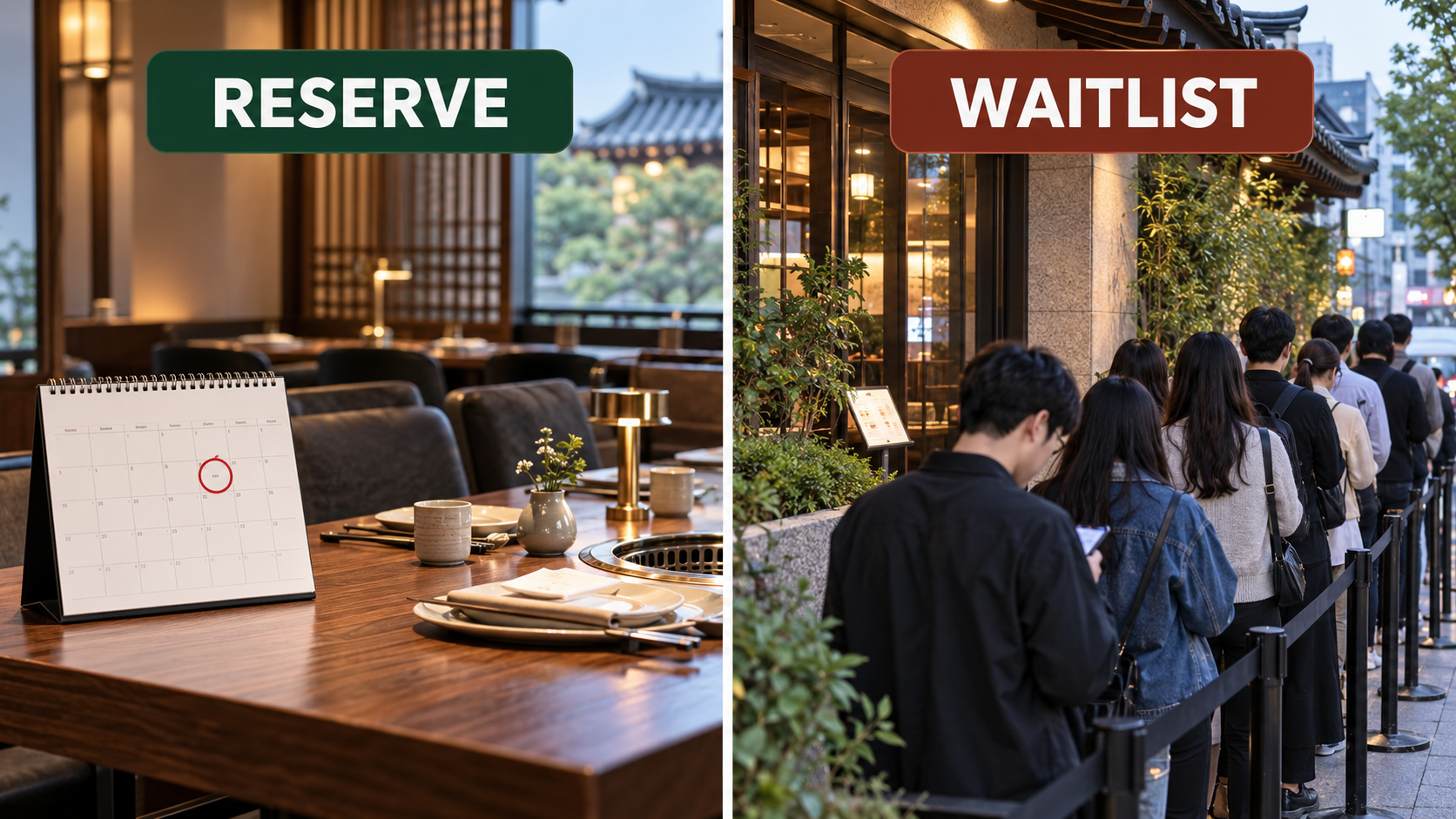
A reservation, a remote waitlist, and an on-site waitlist are different; only act on the button and instructions shown for that exact restaurant.
Reserve confirms a future time slot. Join Remote Waitlist places you in a live queue before arrival and may show the number of teams ahead. If the page gives on-site waiting instructions but no remote button, go to the restaurant and register there. The official guide says waiting, whether remote or on-site, does not require a deposit.
Watch the live status and notification email after joining a queue. Travel time estimates can change, so stay close enough to arrive before your turn. The restaurant can skip or cancel a queue position under its own rules if you are late.
If no slots or buttons appear
Treat a blank calendar or missing button as unavailable for that branch and date, then check another date, branch, official booking channel, or the restaurant’s on-site policy.
A listing page does not guarantee booking. Some restaurants accept only walk-ins, release tables on a schedule, or handle foreign bookings through an official website, concierge, social account, or phone call. Verify the current route with the restaurant.
For a walk-in, arrive before the busiest meal period and show the Korean restaurant name and address. If you are also trying to arrange delivery without local mobile verification, use the separate food ordering without a Korean phone number guide; restaurant reservations and delivery accounts use different systems.
A screenshot of the restaurant page is not a reservation. You should have a confirmation showing the branch, date, time or queue status, party size, and any deposit or cancellation terms.
Confirm the booking and prepare for arrival
Save the final confirmation, map the branch, monitor email or the app, and arrive according to the venue’s stated time rather than relying on a general rule.
Before leaving, save an offline screenshot. Check the Korean name, address, entrance notes, party size, and reservation holder. Show the confirmation when staff ask for the booking name.
The process is resolved when the correct branch and details appear in your account and confirmation message. If the restaurant cannot find it, show the booking reference and payment record, confirm you did not select another branch or date, and contact CATCHTABLE Global support or the restaurant through the official listing. Do not make a second paid reservation until the first booking’s status is clear.
Frequently asked questions
Most failures come from using the Korean service, choosing the wrong branch, confusing a waitlist with a reservation, or missing a venue-specific rule.
Do I need a Korean phone number for CATCHTABLE Global?
Korea Tourism Organization says Global users can create an account through Google or Apple without one. A restaurant may still request contact details for its own operation.
Can I use a foreign credit card?
The official guide says foreign-issued cards can be used for deposits on CATCHTABLE Global. Final authorization still depends on the booking and card issuer.
Why is there no Reserve button?
That restaurant or branch may not accept reservations through the service, or only on-site waiting may be available. Follow the exact instructions on the detail page.
Does joining a remote waitlist guarantee a table time?
No. It gives a live queue position, not a fixed reservation time. Monitor the status and be ready to arrive under the restaurant’s rules.
What should I do if the restaurant cannot find my booking?
Show the confirmation and reference, recheck the branch, date, and name, then contact the official service or restaurant. Clarify the first status before booking again.
댓글 쓰기