Category: Transport

  • Korea T-money Card Not Working|Balance, Tap, and Card Error Fixes

    Korea T-money Card Not Working|Balance, Tap, and Card Error Fixes

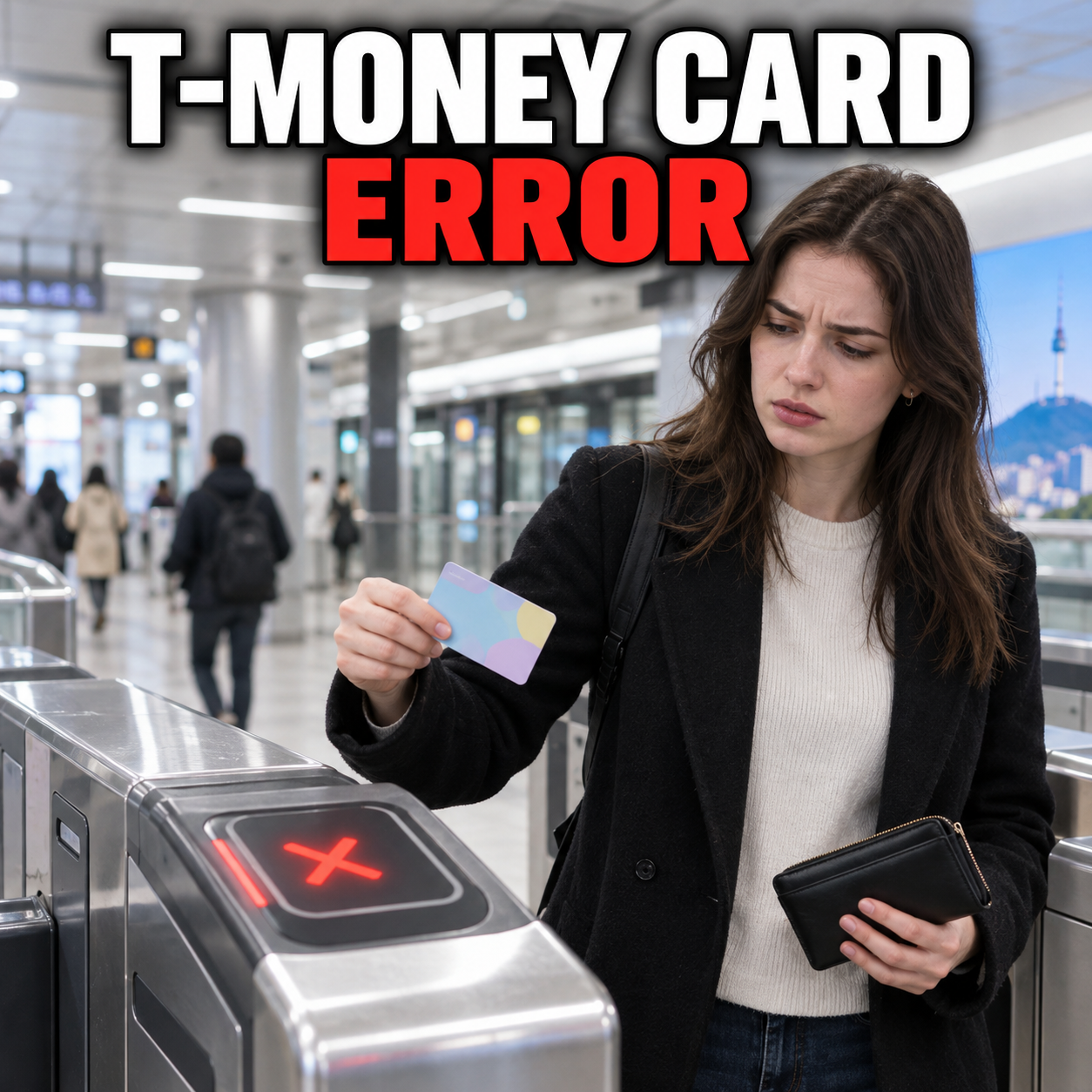
    If your T-money card does not work, step away from the gate, separate it from other contactless cards or your phone, and try the same card once on a different reader.

    Then have the balance and last trip checked at a subway information desk or T-money retailer. The cause may be low balance, an incomplete trip, damage, or NFC interference.

    Read the gate or bus reader message before trying again

    Pause after the first rejection and note the exact screen message, sound, location, and whether you are entering or exiting.

    A red light can mean low balance, an unrecorded previous exit, a reader problem, or a damaged card. Move out of the passenger flow and photograph the message if permitted. Show it to the subway information desk or ask the bus driver before retrying.

    Avoid repeated taps at the same reader

    Repeated attempts make it harder to tell whether a fare was accepted. Check the display and ask staff to confirm the transaction before you add money or buy another ticket.

    Isolate the card from NFC and contactless interference

    Take the T-money card out of your wallet and hold only that card flat against the reader for a full second.

    A bank card, hotel key, another transit card, or NFC phone can interfere. Test the physical card by itself. For mobile T-money, confirm NFC is enabled and temporarily disable competing transit apps. Seoul’s official guide warns that using two or more public transportation apps can cause duplicate charges or transfer errors.

    Check the balance and the card’s last recorded trip

    Ask a subway information desk or T-money retailer to check both the remaining balance and the latest entry or exit record.

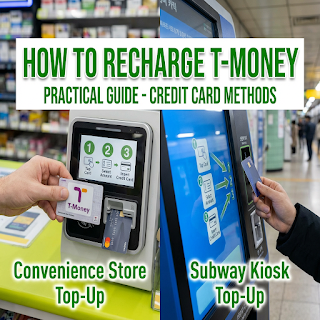
    If the balance is low, recharge after staff confirms it. The updated balance should allow one clean tap. Our T-money recharge guide compares store and station top-ups; the T-money visitor guide covers basic use.

    If you forgot to tap when leaving a bus or encountered an open or failed subway gate, staff may need to inspect the trip record before the card can be used normally. Seoul’s integrated fare rules require a tap when boarding and getting off, and transfer discounts depend on the recorded exit. Explain the previous route, approximate time, and station or bus number instead of guessing which trip is still open.

    Use the correct recovery path for subway, bus, or mobile T-money

    For a subway gate error, use the station desk; for a bus error, ask the driver; for a mobile-card error, check NFC and the active transit app before changing anything else.

    At a subway station, use the information desk rather than following another passenger through a gate. On a bus, ask the driver whether to retry or use another accepted method. If you cannot identify the previous stop, our Naver Map English guide can help retrace the trip. For mobile T-money, verify NFC, the active card, and the single intended transit app before uninstalling or resetting anything.

    Keep a simple backup for the next ride

    After staff checks the failed card, keep enough cash or an accepted alternative payment method for one trip. A subway single-journey ticket is subway-only and cannot replace a transit card on a bus.

    Handle a damaged card or unexplained charge without losing evidence

    If the card fails on multiple readers, stop using it and ask an official T-money location how that specific card type can be checked, refunded, or replaced.

    Do not bend, cut, heat, or discard the card. Keep the card, recharge receipt, and error photo. T-money’s foreign-language guide routes balance refunds through eligible sales or top-up locations, but the process can depend on the card type, balance, and readability. Confirm the procedure before buying a replacement.

    Confirm the fix with one controlled test

    After the balance or trip record is corrected, test the card once at a staffed gate or on the next ride while watching the reader display.

    Success means one accepted sound, one fare or balance update, and an open gate or confirmed bus tap. For transfers, tap out and then tap in within the official window. If the card still fails on two readers after staff confirms enough balance and a closed trip, use the official refund or replacement route.

    Resolution check

    • The card is tested by itself, away from other NFC cards.
    • The balance and last trip record have been checked.
    • One tap is accepted on a staffed or clearly working reader.
    • No unresolved duplicate charge appears in the transaction record.

    Get English-language help when the cause is still unclear

    If station or retailer staff cannot resolve the problem, contact T-money through its official guide or use the Korea Travel Hotline for transportation interpretation support.

    Prepare the readable card number, card type, balance, failure time and place, reader message, and last successful trip. The Korea Tourism Organization says 1330 can help international travelers with transportation inquiries and interpretation.

    Why does my T-money card have money but still fail?

    It may be interference, an incomplete trip, a reader fault, or damage. Test the card alone and have staff check its balance and trip record.

    Can I tap the card while it stays inside my wallet?

    It may work, but nearby contactless cards or an NFC phone can cause a collision. Remove the T-money card and present only that card when troubleshooting.

    What if I forgot to tap off a bus?

    Tell station or bus staff what happened and provide the route and approximate time. Transfer discounts rely on a recorded exit tap, so the last trip may need to be checked before normal use resumes.

    Can a subway single-journey ticket be used on a bus?

    No. Seoul’s official guide says subway single-journey tickets are for subway travel only. Use an accepted bus payment method instead.

    Where should I ask for a refund?

    Start with an eligible T-money sales or top-up location and show the physical card. The exact route can vary with card type, balance, and whether the card remains readable, so confirm the current official procedure before surrendering it.

    If it is still not working

    Stop retrying the card. Ask a staffed subway desk or official T-money location to confirm the balance, last trip record, and card readability. If they cannot resolve it, contact official T-money support or call 1330 for transportation interpretation, then use a separate payment method for your next trip.

    Checked on September 9, 2026 against the official T-money foreigner guide, Seoul Metropolitan Government public transportation guidance, and Korea Tourism Organization 1330 information. Card products and service procedures can change, so confirm the current route for your exact card.

    Official resources

    Seoul public transport guidance

  • Priority Seats on Korean Subways: Signs, Etiquette, and What to Check

    Priority Seats on Korean Subways: Signs, Etiquette, and What to Check

    On a Korean subway, check the signs above and beside a seat before sitting down. Priority seating is intended for passengers who need it, and a need for a seat may not be visible.

    Read the pictograms

    Look for symbols identifying older passengers, pregnant passengers, people with disabilities, or passengers with infants. Seoul has used pink markings to make pregnancy priority seating easier to identify. Colors and layouts can differ between trains, so follow the actual sign rather than a color rule you remember from another city.

    Keep pregnancy priority seats available

    Early pregnancy may not be obvious. Do not ask a passenger to prove that they need a designated seat. When you can stand comfortably, choose an ordinary seat or standing area and keep the priority area easy to reach.

    If you need a seat yourself

    You can make a brief, polite request without explaining private medical details to everyone nearby. If communication is difficult or a disagreement develops, ask station staff for assistance. Avoid filming or arguing with other passengers.

    Make room around the seating area

    Move your bag off the seat, keep the aisle clear, and allow passengers time to sit down or get up. Hold a rail when standing and avoid blocking the doors while checking a route on your phone.

    Before boarding, the useful checklist is simple: find the correct platform, identify the priority-seat signs, and leave a clear route for passengers who need assistance.

    Official resources

    Seoul: Pregnancy priority seating

  • Naver Map in English: Android and iPhone Language Settings

    Naver Map in English: Android and iPhone Language Settings

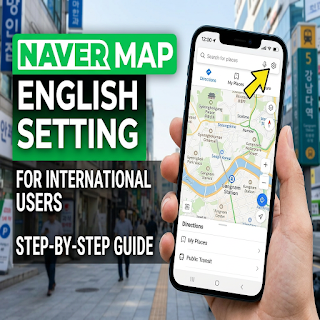
    In the current Naver Map app, open the MY tab, tap the settings gear, and choose Language. On iPhone, the app may send you to the device’s language settings for Naver Map.

    Change the language on Android

    Open Naver Map, select MY at the bottom, and tap the gear at the upper right. Open Language and select English. Return to the map and check a menu or route screen to confirm the interface changed.

    Change the language on iPhone

    Use MY → gear → Language, or open your iPhone’s Settings → Naver Map → Preferred Language. If the preferred-language option is missing, Naver’s help page says to add a supported language under the device’s General → Language & Region settings, then check Naver Map again.

    Find the correct place

    Match the map pin with the full address and exact branch name. Keep the Korean place name beside its English name so you can compare a sign, a booking confirmation, and the app result. A familiar brand name alone is not enough when several branches are nearby.

    Check the route before setting off

    Confirm the travel mode, departure time, station exit, and direction of travel. A route from your hotel may differ from one starting at a nearby station. Save the destination address in a form you can show to staff if mobile data stops working.

    The interface language does not guarantee that every business description or feature is available in English. This guide focuses on the language setting and checking the destination, rather than promising complete translation or a particular arrival-time accuracy.

    Official resources

    Naver Map: Official language-setting instructions

  • How to Recharge T-money in Korea: Cash, Cards, and Common Confusion

    How to Recharge T-money in Korea: Cash, Cards, and Common Confusion

    For a standard physical T-money card, plan to top up with Korean won cash at a participating convenience store or a subway charging machine. Buying a card, topping up its transit balance, and paying for a different transport product are separate transactions.

    Check what kind of card you have

    Read the card and product name first. A plastic T-money card, a mobile transit card, a Climate Card, and a card combining shopping and transport functions do not necessarily share the same top-up rules. A machine accepting a foreign card for one product does not prove that it can recharge every transit card.

    Use a store counter

    Ask whether that counter can recharge your T-money card. State the amount you want to add, present the card and the accepted payment, and wait for the transaction to finish before removing the card. Check the new balance on the reader or receipt.

    Use a subway charging machine

    Select the appropriate language, follow the on-screen card placement instructions, choose an amount, and insert the accepted cash. Keep the card in place until the machine says the top-up is complete. Read the supported notes, coins, and change instructions on that machine.

    If a top-up does not work

    Record the machine location, time, amount, and message. If money was accepted but the balance did not change, ask station staff or the retailer to check the transaction before paying again. A successful top-up and a successful gate tap are different checks.

    Before a trip, carry a suitable backup payment method and enough won cash for the physical card. For a mobile or combined card, use that provider’s current instructions instead of applying the plastic-card rules automatically.

    Official resources

    Korea Tourism Organization: Transport payment guide

  • Korea Climate Card: Short-Term Passes and the 2026 Monthly Pass Change

    Korea Climate Card: Short-Term Passes and the 2026 Monthly Pass Change

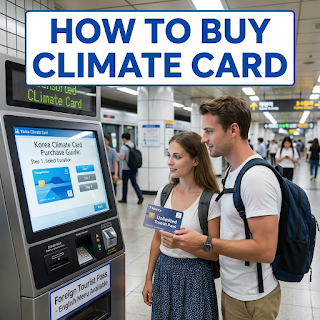
    The old 30-day Climate Card guidance has changed. Seoul’s current notice says the last recharge date for the prepaid 30-day product was August 31, 2026. Short-term Climate Card passes remain available, while Climate Pass is a separate resident-oriented product.

    Choose the right product for your stay

    Short-term visitors should check the current 1-, 2-, 3-, 5-, and 7-day Climate Card options. Residents considering Climate Pass should check their residence-based eligibility, the participating card issuer, and K-Pass registration requirements. Do not assume a tourist’s short-term card provides the resident product’s benefits.

    Check every part of the route

    Use Seoul’s current coverage search before buying. The official page lists eligible Seoul subway journeys and Seoul-licensed city and town buses, with important exclusions and an airport-alighting exception. A familiar line color or the word “Seoul” in a destination is not enough to confirm coverage.

    Read the purchase screen

    Confirm the pass duration, total price, activation rule, and accepted payment at the actual sales point. Keep the card purchase cost separate from the pass price when comparing your options. Older screenshots and monthly-savings tables may describe a product that is no longer sold.

    Keep a backup for uncovered travel

    Check your return journey as well as the outward trip, especially when traveling outside the covered area or to an airport. Keep another accepted payment method available and ask station staff before passing a gate if your route is unclear.

    This page was revised for the November 2026 product situation. Use the current Seoul notice linked below for the coverage table and product details; this guide does not promise a particular saving.

    Official resources

    Seoul: Current Climate Card guide and coverage
    Seoul: Climate Pass launch

  • T-money Cards in Korea: Buying, Topping Up, and Tapping Correctly

    T-money Cards in Korea: Buying, Topping Up, and Tapping Correctly

    A standard physical T-money card is a reusable prepaid transport card. Buy the card, add transit balance separately, and use the same card for the whole journey. Keep Korean won cash available for an ordinary physical-card top-up.

    Buy the correct product

    Look for a participating convenience store or a station sales point and confirm that the card is a standard T-money product. A special tourist pass or a combined payment card can have different conditions. Ask whether the purchase includes any usable transit balance.

    Check the balance before you travel

    Use an appropriate reader or ask the retailer or station staff to check the balance. Add funds before reaching a busy gate. The price of the card itself is separate from the money used to pay fares.

    Tap one card at a time

    Take the card out of a wallet containing other contactless cards. Read the reader’s response before tapping again. On Seoul’s integrated transport system, tapping when boarding and leaving records the journey used to calculate the fare and any applicable transfer.

    Handle an error with the operator

    If the card is rejected, move out of the passenger flow and note the message and location. Ask the station information desk or the bus driver to check the situation. Repeated taps or immediately buying a replacement can make it harder to understand the first transaction.

    Keep the card and transaction evidence until a balance or fare problem is resolved. Refund and loss-protection conditions depend on the product, registration, and service channel; confirm the current terms with T-money rather than assuming every card has the same protection.

    Official resources

    Korea Tourism Organization: Transport cards
    Seoul public transport guidance